


Draw Climber
4.212.40K Reviews
App Specs
- Version
- 1.24
- Updated On
- License
- Free
- Downloads
- 100,000,000+
- Developer
- VOODOO
- Categories
- Arcade
- Platform
- Android, iOS
Screenshots
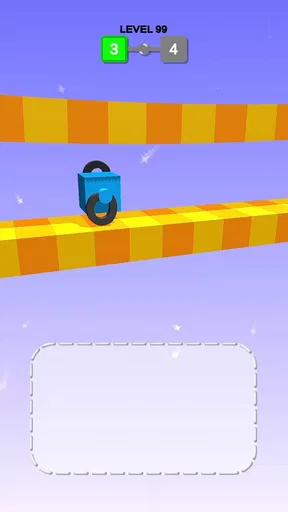
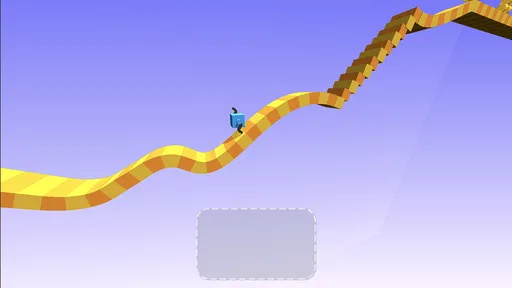
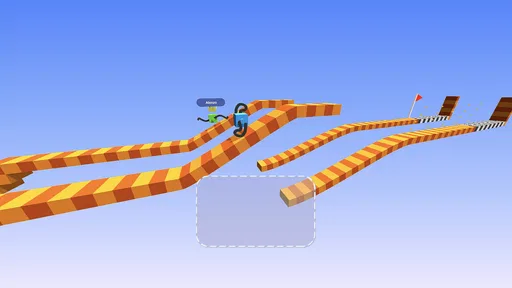
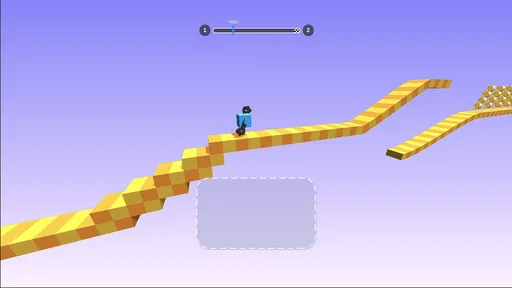
 Analysis by AppCompare
I can see Draw Climber working well as a shared-device game: one person sketches a shape, then someone else can suggest a tweak for the next stretch. That back-and-forth makes its simple premise more sociable than a typical solo arcade game, without turning it into something that needs a long setup or a serious time commitment.
Passing the device without passing the account
For household use, I’d treat it as a game people take turns playing on the same device, not as a shared profile with separate progress or personal settings. The appeal is easy to show: draw a shape, watch the cube move, and decide whether a different outline might handle the next obstacle better. If you hand the phone to a child or another adult, make the boundaries clear before they start, especially around any purchases available in the game.
The practical routine is simple: agree who is playing, keep the device with that person, and check the purchase settings on the device if you want an extra safeguard. I wouldn’t assume that a quick arcade game automatically has household controls or separate player accounts. If keeping individual records or tightly managed child profiles matters to you, a game designed around those needs is a better fit.
Small-group coordination is part of the fun
The drawing mechanic gives spectators something useful to do. Instead of simply watching, a second player can point out that a shape looks too short for a rise or suggest making it broader for a different section. I find that works best when the person holding the device makes the final choice: too many simultaneous instructions turn a quick game into a debate over a tiny sketch.
A good shared-device pattern is to take turns after a clear attempt rather than swapping hands in the middle of a run. That makes it easier to compare what changed and whether the new drawing helped. It also keeps the game’s central decision visible: the shape is not decoration, but the player’s way of responding to the course. That is a more rewarding kind of turn-taking than passing around a game where everyone simply repeats the same tap.
Age context and sensible trust
The game is rated for Everyone, and its playful, uncomplicated premise makes it approachable for a broad range of ages. I’d still use ordinary judgment with younger players: explain that the drawings are part of the game, and keep an eye on whether they are comfortable with the obstacles and the pace. An age rating is helpful context, not a substitute for knowing the child using the device.
It is also worth explaining that the game is free to start but offers in-app purchases, priced at $2.99 per item. That does not mean a purchase is necessary to enjoy the basic idea, but it is a reason to set expectations before handing over a shared phone or tablet. For a household that prefers to avoid spending prompts altogether, checking the device’s purchase safeguards first is more dependable than relying on an assumption about how a particular game handles them.
Worth Reading Before You Choose

EA SPORTS FC Mobile 26 Is a Bigger Football Game, but It Takes Time

Flipboard Shows What News Apps Must Do Beyond the Feed

Switching to Android Auto Means Rethinking Your Driving Routine

Google Calendar Makes a Crowded Week Easier to Manage

Ludo King Makes the Most of the Minutes Between Plans

Baby Panda World Brings Quick Play to Modern Phones, but Its Game Library Feels Busy
Where it fits in a busy day
I’d reach for it during a short wait, a relaxed break at home, or a few minutes when someone wants a playful challenge without learning a complicated control scheme. One person can try a shape, another can offer a suggestion, and the device can go back to its usual owner when the break ends. That makes it a more natural fit for brief, casual sessions than a game that asks everyone to follow a long story or remember a detailed set of rules.
It is less suited to a household looking for a deep campaign, a strong multiplayer structure, or a game that gives each family member a clearly separate experience. Its shared appeal comes from the immediate drawing-and-testing loop, not from a complicated social layer. If your group wants a competitive game built around direct player-versus-player matches, a conventional multiplayer arcade title will probably serve that purpose better.
The game is free, with in-app purchases available, and its Everyone age rating makes it an easy candidate to consider for a shared device. Those facts are useful starting points, but I’d still decide who can use the device and how purchases are handled before making it a regular option for children. In a home where people take turns and are comfortable with a light, hands-on challenge, that small bit of coordination goes a long way.
So, I recently got my hands on this quirky little game called Draw Climber, and let me tell you, it’s quite the ride! It’s one of those games that sneaks up on you with its simplicity and then keeps you hooked for hours. If you’re into games that are both relaxing and mind-bending at the same time, this one’s worth checking out.
What’s the Deal with Draw Climber?
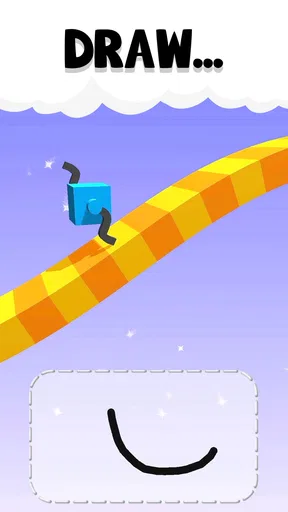
Alright, here’s the scoop. The main objective in Draw Climber is to get your little cube across various obstacle courses. Sounds simple, right? Well, here’s the twist: you have to draw legs for your cube to make it move! It’s a wild concept that adds a ton of fun and creativity to the mix. You’re not just playing a game; you’re kind of designing your own strategy on the fly.
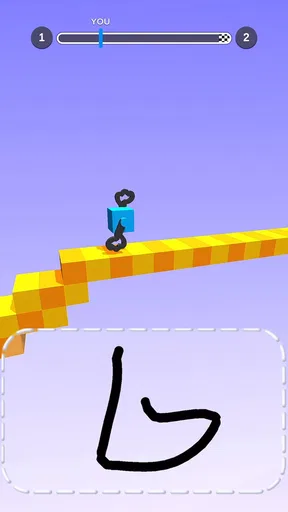
The controls are super intuitive. You just use your finger to draw different shapes, and your cube will use those shapes to navigate through the levels. The better your drawing, the smoother the ride. But don’t worry if your artistic skills are more stick-figure than Picasso—sometimes the strangest shapes work the best!
Why It’s So Addictive
What really draws you in (pun intended) is the challenge and the satisfaction of seeing your creation in motion. There’s something incredibly rewarding about sketching a wacky shape and watching it tackle a tricky section of the course. Plus, each level presents new challenges that keep you guessing and strategizing.
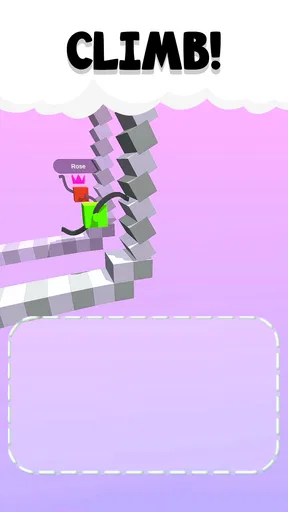
Another aspect that keeps you coming back is the sheer variety of obstacles. From steep hills to spinning blades, each level feels fresh, requiring you to think on your feet—or wheels, in this case! The game is constantly nudging you to be more creative, which is a fun way to keep your brain engaged.
The Visuals and Soundtrack
Visually, the game is pretty minimalistic, which I think is part of its charm. It doesn’t bombard you with crazy graphics; instead, it keeps things clean and focused on the gameplay. The animations are smooth, and the colors are vibrant, making it easy on the eyes.
The soundtrack is another highlight. It’s upbeat and perfectly complements the light-hearted vibe of the game. It’s one of those tunes that gets stuck in your head without being annoying, which is a huge plus in my book.
Final Thoughts
All in all, this arcade game from VOODOO is a delightful mix of creativity, strategy, and fun. It’s perfect for those moments when you want to unwind but still keep your brain active. Whether you’re a fan of puzzle games or just looking for something new to try, this app is definitely worth a download. Just be prepared to lose track of time because once you start drawing, it’s hard to stop!
So, why not give it a whirl? You might just find your new favorite pastime!
What the drawing mechanic rewards
The useful skill here is not artistic ability but willingness to revise. A shape that looks clever on the drawing area may behave awkwardly once it meets a slope or obstacle, so I’d treat each attempt as a quick test rather than trying to design a perfect set of legs in advance. If progress feels clumsy, change one part of the outline at a time. That makes it easier to tell whether a longer, wider, or more balanced shape actually helped.
There is a small trade-off between improvisation and consistency. Reusing a shape that has worked can save time, but a design that handled one section neatly may not be the best choice for the next. I found the game most engaging when I paid attention to what the course was asking for instead of assuming there was one universally best drawing. The freedom is the point, but it also means the player has to do some of the problem-solving.
How it compares with other quick arcade games
Many arcade games lean on repeated taps, reflexes, or memorizing a fixed pattern. This one feels different because the player changes the movement setup by drawing. That gives it a light puzzle quality: you are still moving through a course, but your response is to alter the shape rather than merely time a button press. Compared with a standard runner, it asks for more experimentation and a little less reliance on a single rhythm.
That distinction will not suit everyone. If you want a score-chasing game with precise, repeatable controls, or a platform game where jumping and timing are the main skills, a more conventional arcade option may feel fairer. The drawn shapes make the playfulness distinctive, but they can also make outcomes feel less exact than a fixed control scheme. I see it as a good change of pace, not a replacement for every kind of arcade game.
Practical details before you install
Draw Climber is a free arcade game from VOODOO, with a 4.2 average from around 366,000 ratings and over 100 million installs. It was released on January 31, 2020, and its current version is 1.23. It runs on Android 8.0 or later, so checking the operating system on an older device is a sensible first step. Its broad reach suggests that the central idea is easy to understand, though popularity alone cannot tell you whether its drawing-based style will be your kind of fun.
For a quick test, I’d install it when you have a few uninterrupted minutes, try several different outlines, and notice whether experimenting feels enjoyable or frustrating. You do not need to be good at drawing; the more relevant question is whether you like adjusting a design and immediately seeing the result. If you prefer a game that explains every strategy or gives you exact control over each movement, this one may feel too loose. If you enjoy playful trial and error, that looseness is part of its charm.
Who is likely to enjoy it—and who may not
I’d recommend it to casual players who want a simple premise with room for small, creative decisions, and to households that enjoy taking turns suggesting shapes. It also suits someone who likes testing an idea quickly rather than committing to a long session. A short attempt can be satisfying on its own, while the changing obstacles give you a reason to rethink your approach when you return.
I would skip it if your priority is a substantial story, finely tuned competitive play, or a quiet game with no purchase options to consider on a shared device. The experience is built around repeated attempts and improvised drawings, not a deep collection of modes or a detailed account of personal progress. For an everyday break, though, that focused scope is a strength: there is little to learn before the central challenge makes sense.
My household verdict is that it works best as a low-pressure game people can pass around, with one person drawing and the others offering ideas without taking over. It is easy to understand, unusual enough to spark conversation, and brief-session friendly, but it still asks for patience when a promising sketch does not move as expected. If that balance sounds appealing, I think it is worth trying; if you need clearly separated household accounts or tightly structured multiplayer, choose a game built specifically around those needs instead.
Pros
- Simple and intuitive controls.
- Unique and engaging gameplay.
- Offline play available.
- Regular updates with new levels.
- Great for quick gaming sessions.
Cons
- Repetitive after extended play.
- Limited customization options.
- Occasional ads disrupt flow.
- Graphics could be more detailed.
- No multiplayer mode.
FAQs for Draw Climber
What is the main objective of Draw Climber?
Draw Climber is a unique and engaging game where the primary objective is to draw legs for a block to help it climb various obstacles and reach the finish line. The challenge lies in creating the most efficient leg designs to navigate through different terrains and levels, offering endless creative possibilities.
Is Draw Climber free to play?
Yes, Draw Climber is free to download and play. However, the game includes optional in-app purchases and ads. These purchases can enhance the gaming experience by providing additional features or removing ads, but they are not necessary to enjoy the core gameplay.
What are the system requirements for Draw Climber?
Draw Climber requires a device running Android 5.0 or later, or iOS 10.0 or later. It's compatible with most modern smartphones and tablets, ensuring smooth gameplay and performance. Make sure your device has enough storage space to accommodate the app and its updates.
How does the multiplayer mode work in Draw Climber?
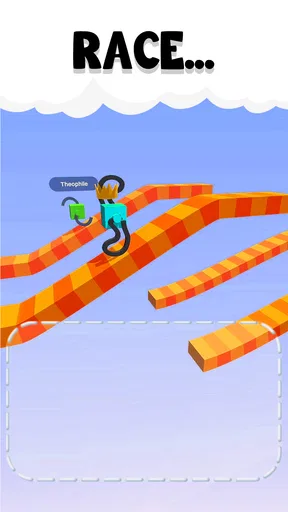
Draw Climber features a competitive multiplayer mode where you can race against other players in real-time. The goal is to create the fastest and most efficient legs to outpace opponents. This mode adds an exciting layer of competition and enhances replayability by challenging players to improve their designs.
Are there any tips for beginners in Draw Climber?
For beginners, it’s important to experiment with different leg shapes to see how they affect movement. Start with simple designs to understand the mechanics before attempting more complex shapes. Pay attention to the terrain and adjust your drawings accordingly to overcome obstacles and improve your performance over time.


